 Drawply
Pokericabra Trainee
Available on Android
A pocket-sized puzzle game. Drop card pieces and put your poker combinations to work.
Get it on Google PlayDraw your feedback right on the AI’s result. Then keep going in the same chat.
Free & open source · v0.4.2
For Codex hosts with inline visualization support. Check requirements
Point to what needs changing.
Then explain it in the chat.
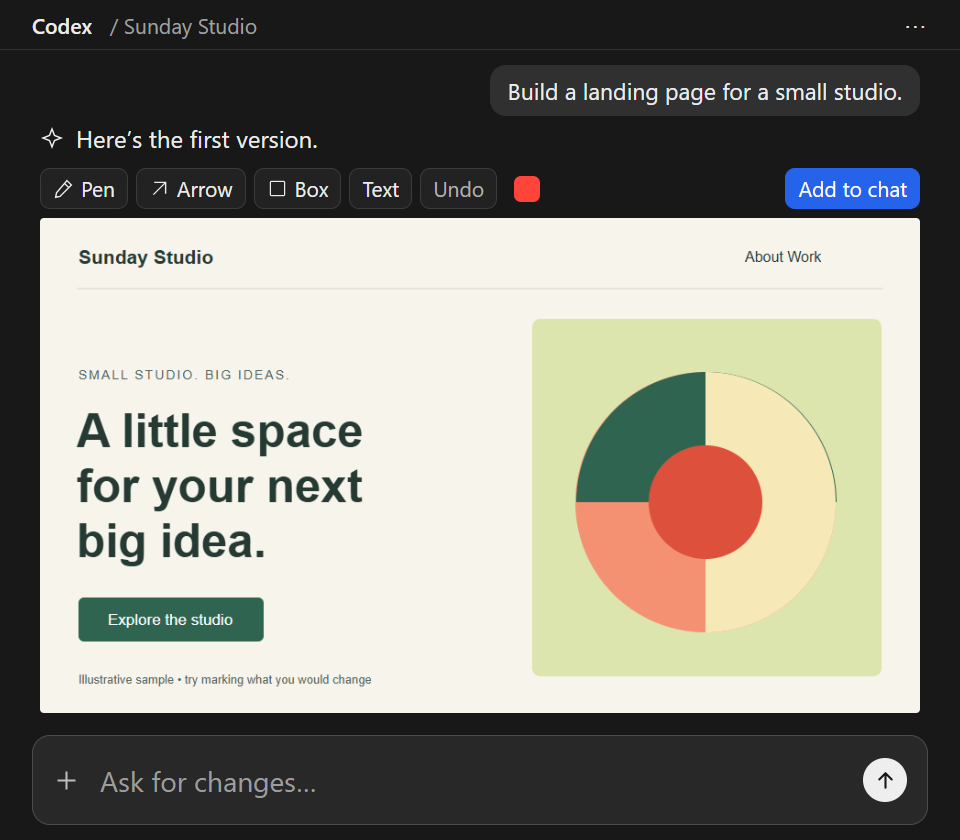
Codex creates the first version. You spot a button that needs more width.
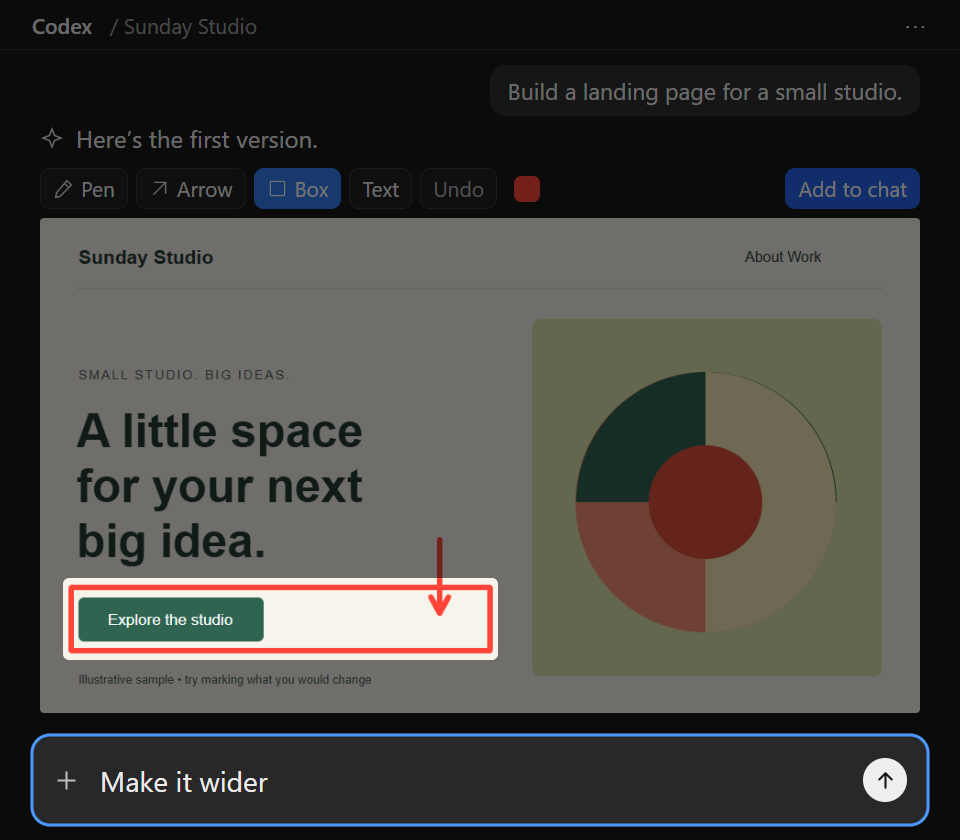
Box the button, then type “Make it wider” in chat.
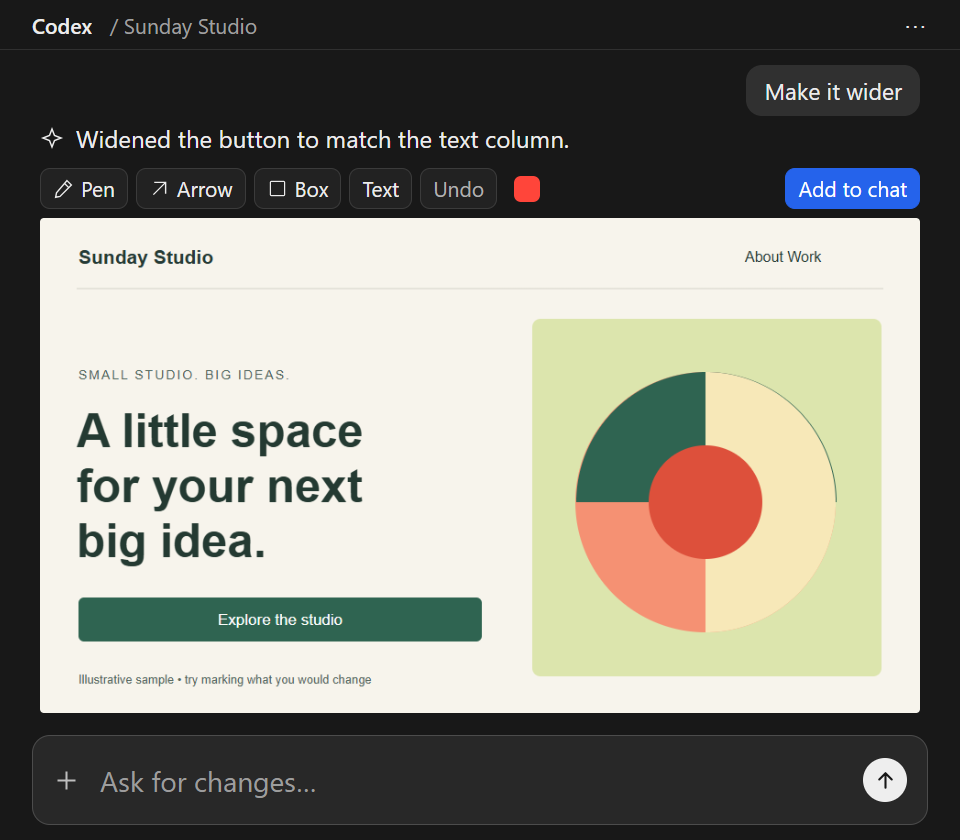
Codex widens the button. Review the result and keep refining.
Illustrative Codex conversation. Drawply captures your feedback; Codex updates the source. Select an image to enlarge.
Discover Pokericabra: falling blocks meet poker hands. Place your cards, build combinations, and make every move count.
Available on Android
A pocket-sized puzzle game. Drop card pieces and put your poker combinations to work.
Get it on Google Play
Coming soon on Steam
Build your deck, face enemies, and discover new combinations in a falling-block poker roguelike.
Wishlist on SteamDrawply keeps visual feedback in your conversation.